Find the people responsible for operations and engineering at water and wastewater utilities. See what puts them in the role and which work contact details you can use.
Follow an account from a utility roster to a person, a role change and the source behind it. The film uses four public professional records from two utilities in Athena.
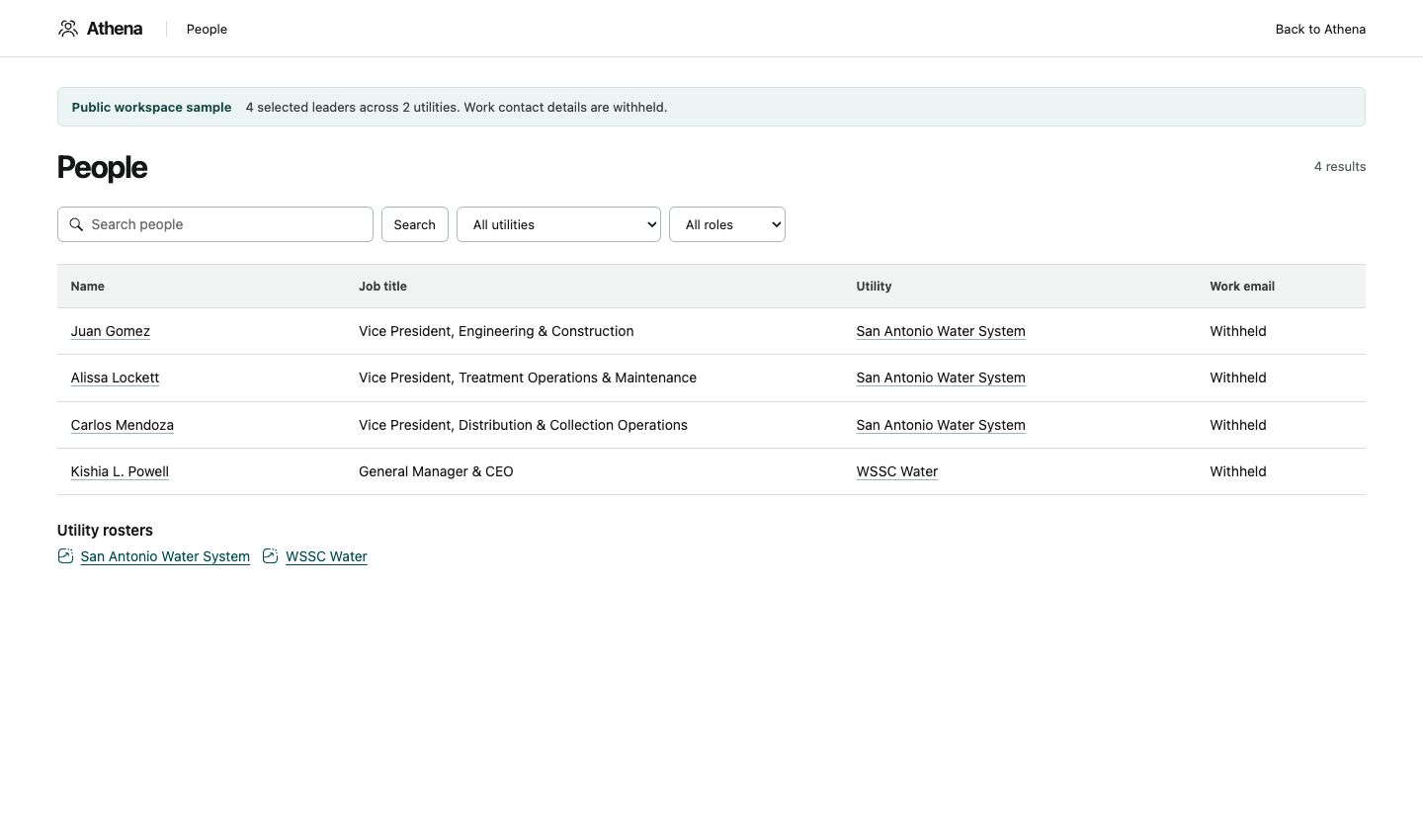
These screenshots show four selected records in Athena’s public demo workspace. Compare the roles at San Antonio Water System and WSSC Water, then open the evidence behind a title.
Search across the two utilities. At WSSC Water, Kishia L. Powell is General Manager and CEO. In San Antonio, three different vice presidents lead the functions shown here.
Search by name and filter by territory or role family.
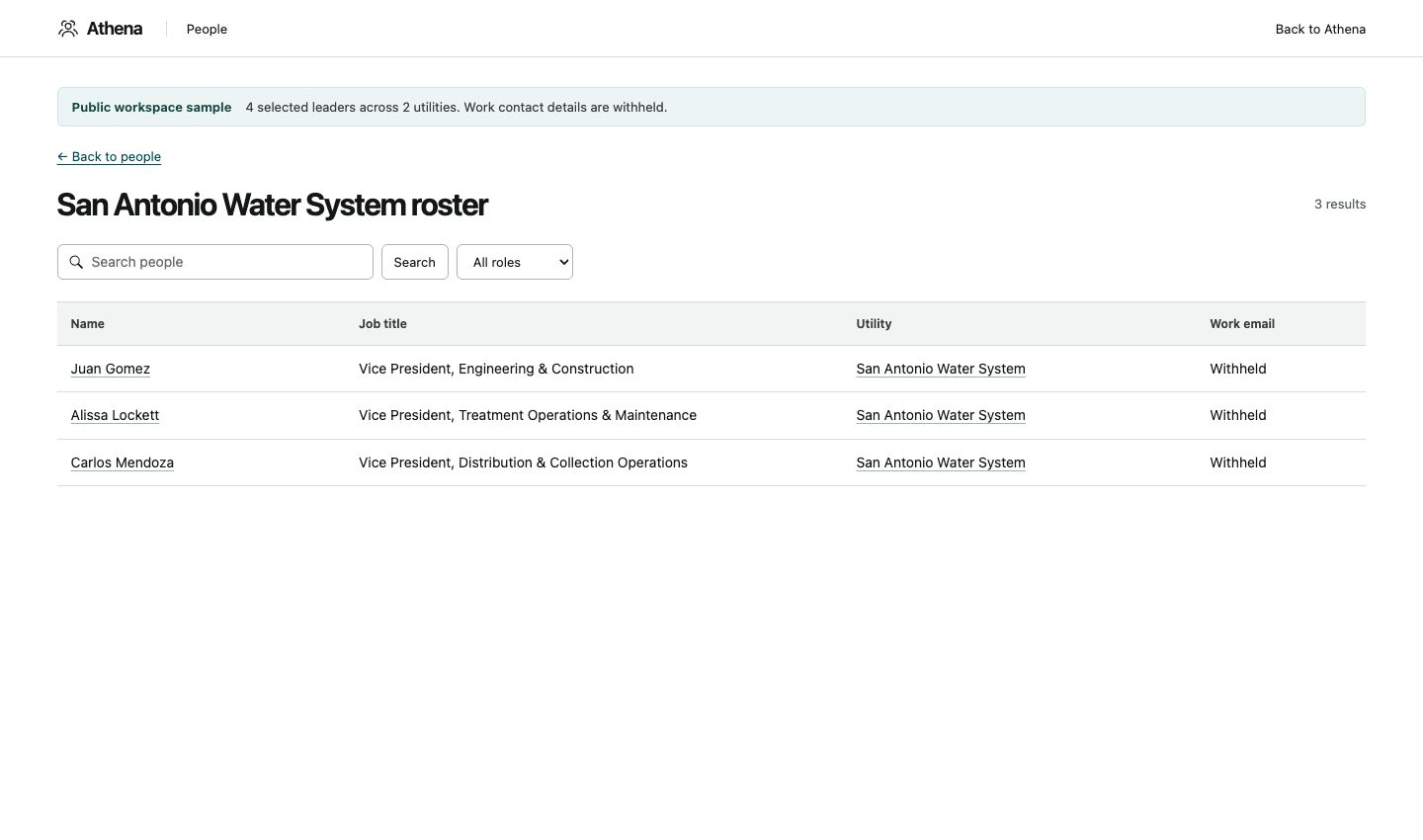
Open a utility to see the selected people on its roster.
At San Antonio Water System, Juan Gomez leads engineering and construction, Alissa Lockett leads treatment operations and maintenance, and Carlos Mendoza leads distribution and collection operations.
For a treatment-equipment conversation, start with the treatment role.
For a capital project, inspect the engineering role and its source.
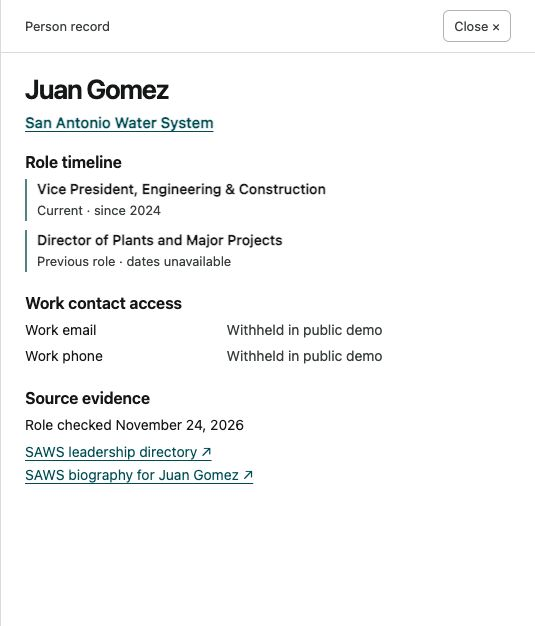
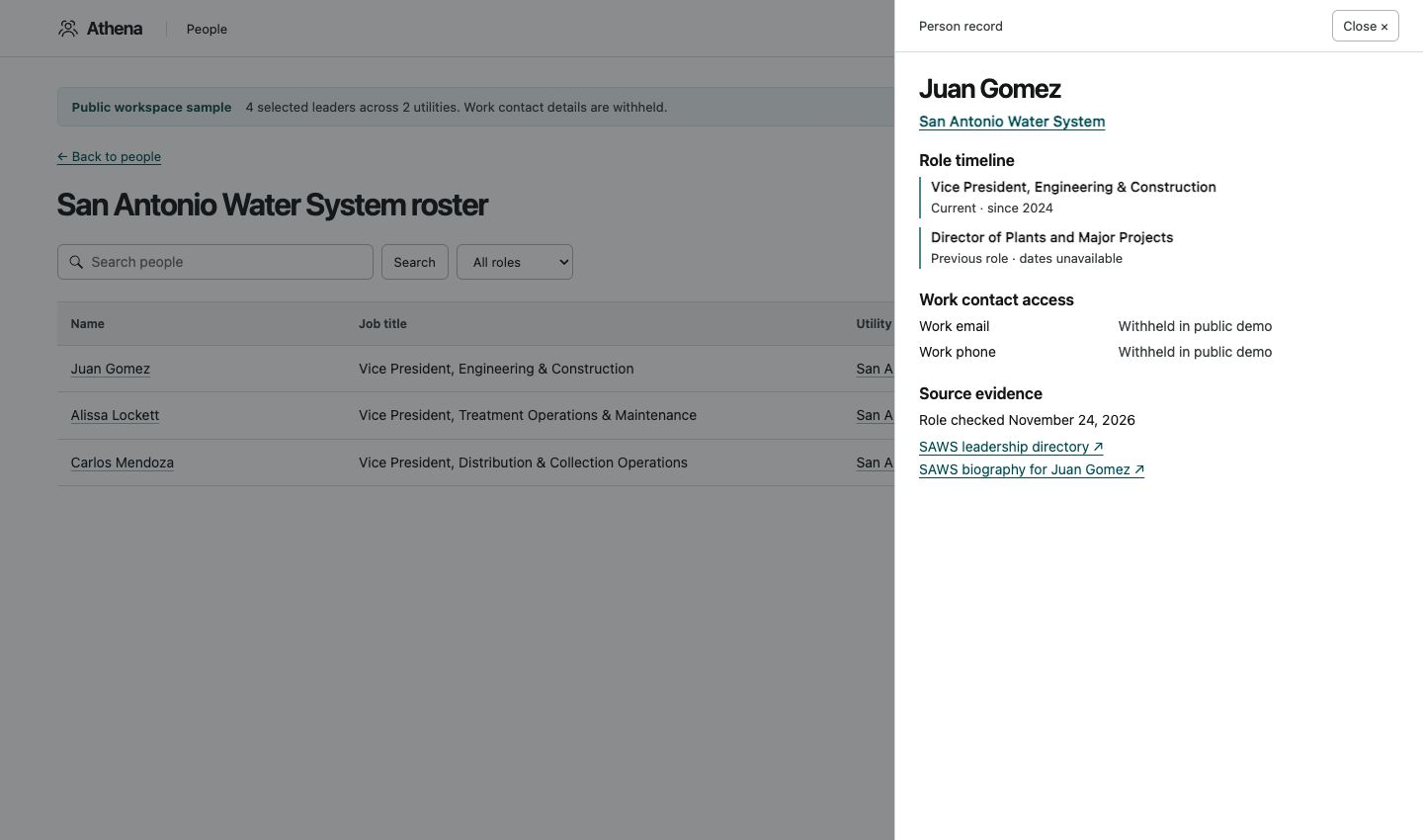
San Antonio Water System says Juan Gomez joined in 2017, previously directed Plants and Major Projects, and became vice president of engineering and construction in 2024.
The promotion year comes from his utility biography.
The source-check date records when we reviewed the public evidence.
Start with a utility name to open its roster, or search for people across your territory. Narrow the results by role family. Utility sector and organization type filters appear where those classifications are available.
When did they hold that role?
Open a person’s profile to compare current and historical roles. The source and observation date show when the evidence placed them at the utility. Check that date before putting a name on your call list.
Which details can I use?
Work email and phone each have their own status. Where available, see when a detail was observed, reported by a provider, or independently verified. A field can be visible in Athena while export remains restricted.
What if the record has changed?
Select the field, propose the correction and identify the supporting evidence. Athena returns a reference so the correction can be reviewed. For example, a newer staff roster can support a change in title or utility affiliation. The accepted record changes only after review.
What can leave the workspace?
Export a filtered utility roster as JSON. Athena checks the requested fields and your rights again when you download the file. A visible work email can still be withheld from the export.
Who can see which accounts?
Your organization’s access determines which utilities appear in search results, counts and rosters. A regional team can evaluate a defined territory before agreeing on broader access.
Who uses Athena
One territory or a national account list.
Independent reps & distributors
You sell metering equipment in one region. Find the operations lead at a target utility and check their role before calling the main office for an introduction.
Engineering & consulting teams
A project meeting is coming up. Compare engineering and operations roles on the same roster, then use the dated source to check who belongs in the conversation.
National vendors & sales operations
Bring a named account list and the functions your teams cover. Compare role coverage by territory and agree on the fields your organization can share with its regional teams.
Pricing
Plans for one rep or an entire sales team.
These are proposed standalone subscriptions. While self-service access is in development, you can discuss a scoped pilot with AquaIntel.
Free
For checking coverage on a few target accounts.
$0
One-time sample allowance
5 contact unlocks to try once
1 named user
Search the available catalog and inspect role evidence
Starter
For a rep building a territory list one contact at a time.
$49/ month
Billed monthly
$490/ year
$40.83/month, paid annually
50 contact unlocks per month
1 contributor and read-only teammates
Export eligible contacts individually
Team
For a sales team coordinating accounts across territories.
$199/ month
Billed monthly
$1,990/ year
$165.83/month, paid annually
300 pooled contact unlocks per month
5 contributors and read-only teammates
Share lists and export eligible contacts in batches via CSV
Enterprise
For organizations with specific coverage and delivery needs.
Custom
Annual agreement
Agreed coverage for named territories and role families
Tailored usage allowance and access
Defined refresh cadence, delivery and support
What counts as an unlock? One unique person with a work contact eligible for export counts once per workspace. Viewing role evidence, reopening a contact or encountering a withheld field uses no additional unlocks.
Bring 50–100 named utilities and two or three role families. Together we confirm coverage, seats, permitted fields and the fee before kickoff.
Compare research time
Time a familiar account-research task with your existing tools and with Athena. At midpoint, review missing roles and flag outdated records.
Decide whether to continue
Review how many target utilities had a matching role, how often the evidence supported the right person, and which work contacts were eligible for your intended use.
Across AquaIntel
Which accounts should you call first?
If you sell meters, finding the distribution lead answers one question. Knowing which utilities are planning meter replacements helps you choose where to spend the week.
Yes. You can discuss a standalone Athena pilot for your team. Free, Starter, Team and Enterprise are proposed launch options. We’ll confirm plan availability, pricing and entitlements with you before purchase.
How much of our territory is covered?
Bring your target utilities and roles. During scoping, we distinguish utilities with matching people, people with displayable work contacts, and contacts approved for export. Each measure answers a different coverage question.
Can our team evaluate an API integration?
Athena’s standalone People API supports scoped people search, utility rosters, person details, corrections and controlled exports. Hosted API access and delivery requirements are topics for enterprise scoping. The screenshots show the browser workspace.
Can we take an approved roster out of Athena?
The workspace can export a filtered roster as JSON. Athena checks download permissions again at delivery. Fields without export approval stay withheld, even if your team can see them in the workspace.

 Athena